Project Details
Duration
16 Weeks
Team
4 Designers
Role
UI UX Designer
Category
Internship
Overview
The Asset Tracker was an internal project at WSIB Innovation Lab aimed at creating a system to track all company assets. This included equipment such as monitors, laptops, keyboards, and other tools assigned to employees. The project involved designing both a website and a mobile app to provide real-time asset management and tracking.
The company needed a centralized and efficient way to track its assets. Without a proper system in place, it was difficult to determine the location, condition, and usage status of various items. Important information like serial numbers, assigned employees, department ownership, and repair status needed to be easily accessible for management and IT teams.
Our Process
The team collaboratively defined a clear process and structured steps to efficiently tackle the project, ensuring a streamlined and organized workflow.
Review & Critique
We started by analyzing the previous cohort’s wireframes, identifying areas for improvement. Then conducted management interviews to understand their needs and expectations.
Iterate & Collaborate
Each designer individually iterated on key screens based on feedback. Followed by weekly design critiques helped refine our work into a unified design.
We built a design system (components, colors, fonts, rules) to maintain consistency.
Prototyping & Usability
Testing
We created interactive user flows in Figma for testing purposes. Followed by conducting usability testing internally using Maze to gather insights.
Allowing us to make adjustments to improve accessibility and usability based on test results.
Key Screens
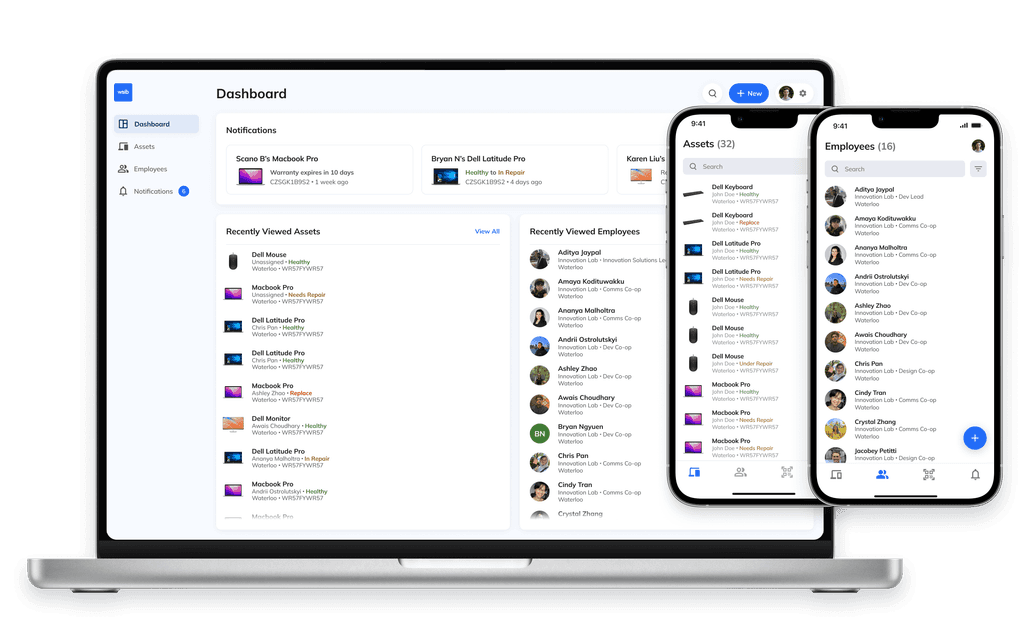
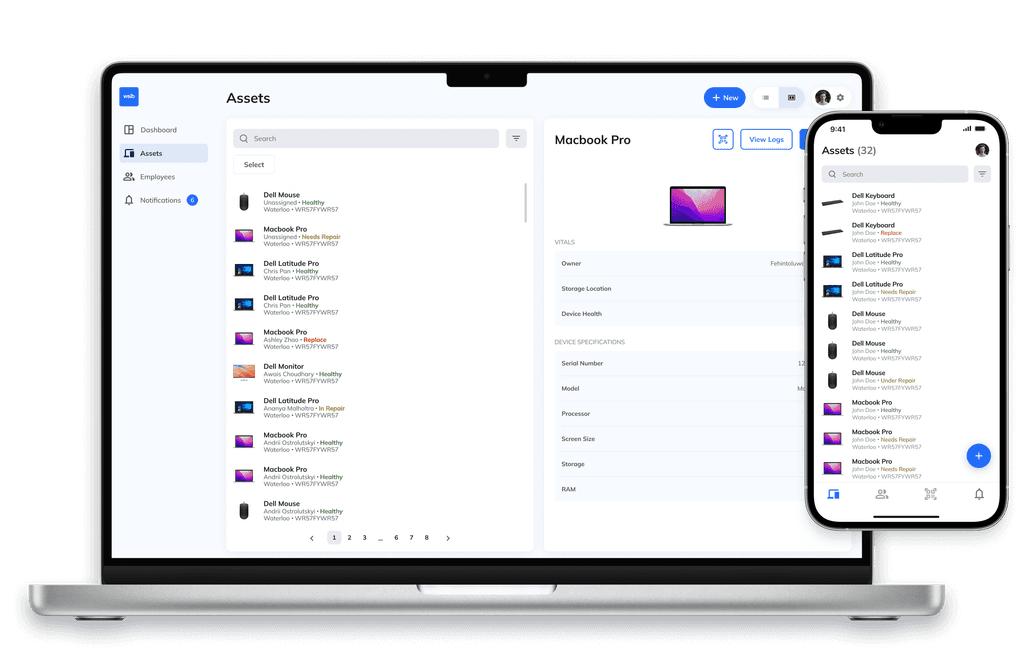
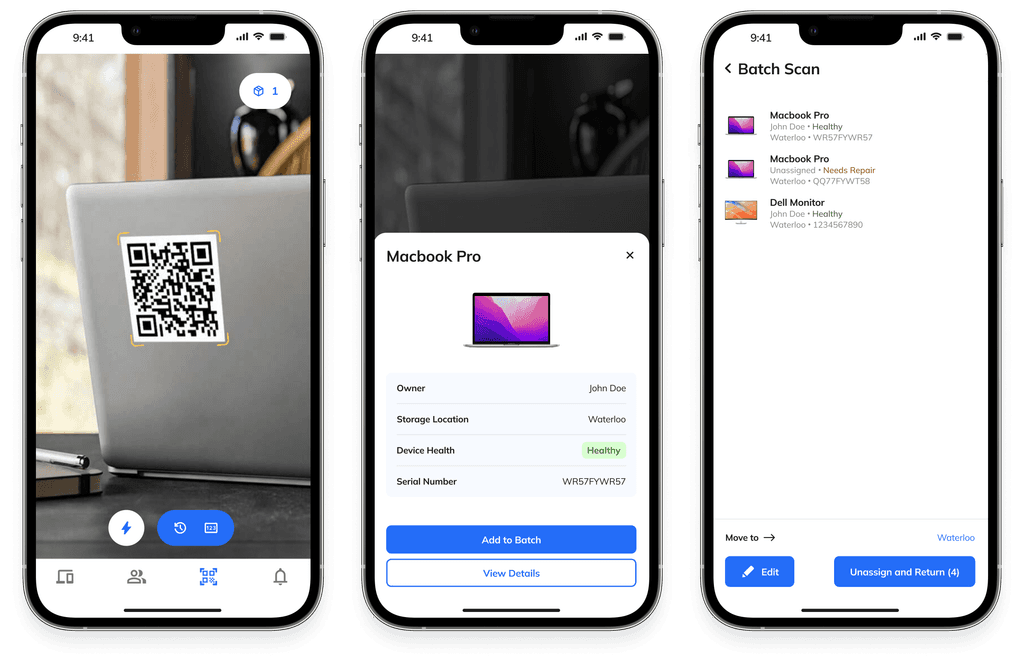
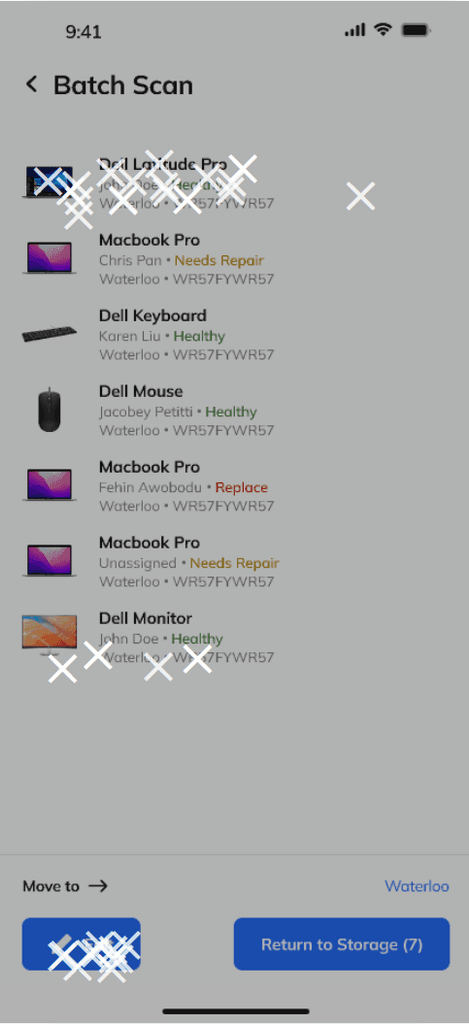
Below are key screens from both the desktop and mobile versions of the Asset Tracker, showcasing the intuitive design, structured information hierarchy, and user-friendly interface tailored for seamless asset management.
User Testing
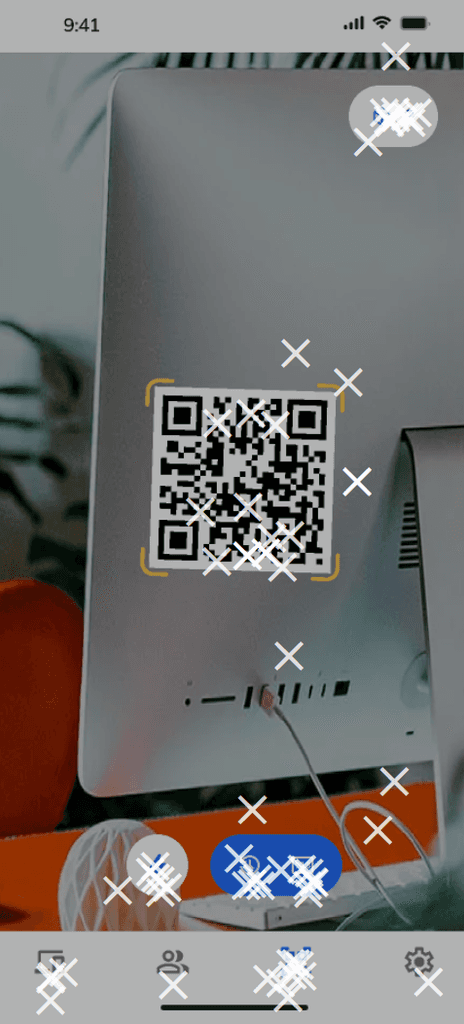
Asynchronous and anonymous testing was conducted using Maze, featuring diverse mobile flows with corresponding user tasks. The test results revealed a key issue that required team discussion.
Challenges
Initially, we considered including too much information about each asset, which could have cluttered the UI and overwhelmed users.
The solution to our challenge involved regular design critiques and discussions that helped us stay focused on essential features. Further, weekly check-ins with our design lead ensured we were designing for usability, not just detail.
Outcome
The project resulted in a fully designed asset tracker, covering both mobile and desktop interfaces. The final state included:
Completed UI designs to be passed onto the next cohort that would bring the project to completion, near-final prototypes demonstrations the interactions and movement of the Asset Tracker, and positive feedback from the stakeholder solidifying that our work and project direction was what they desired.
Key Learnings
Every project reveals new insights that we can learn from and apply to our work. This project, in particular, led to a couple key takeaways:
Collaboration is key – Working closely with a team, exchanging feedback, and iterating together leads to stronger design solutions.
Avoid burnout – Maintaining a balance of work, discussion, and social engagement keeps productivity and creativity high.